Sign
A single line of text
Sign
The Sign feature allows you to display one line of text. Unlike Richtext, though, they can be used as a hyperlink.
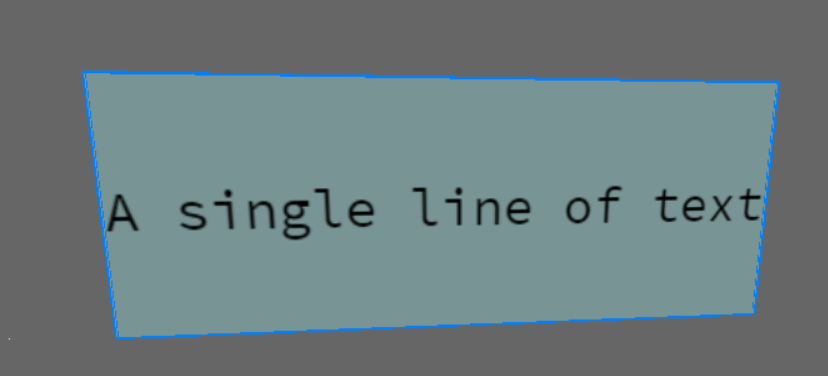
Editor
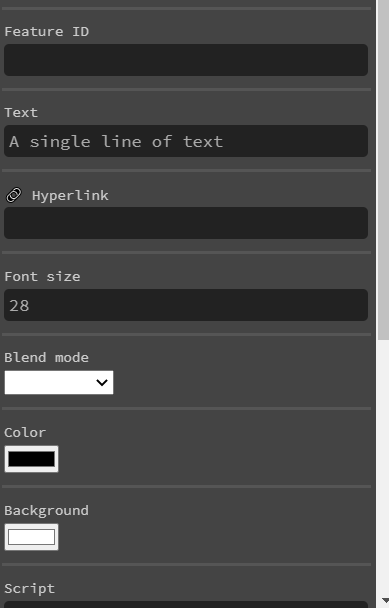
Text
The text you want to display.
Font Size
The size of the font.
Blend mode
This is used to determine how the text is blended with whatever is behind it. The available options are Combine, Multiply, and Screen.
Inverted
When ticked, the text will be white on a black background, rather than the other way around.
Hyperlink
A link that, when clicked on, will popup a warning message before letting the player go to the desired link.
Font Size
Self-explanatory
Color
Color of the font
Font Size
Color of the background
Scripting Properties
Scripting Properties {.tabset}
text
String;
get()
feature.get('text')
// returns: "my line of text"
set()
feature.set({'text':"my line of text"})
default
""
link
String;
get()
feature.get('link')
// returns: "https://..."
set()
feature.set({'link':"https://..."})
default
""
fontSize
Integer;
get()
feature.get('fontSize')
// returns: 25
set()
feature.set({'fontSize':25})
default
25
color
String-hexadecimal;
get()
feature.get('color')
// returns: "#00000"
set()
feature.set({'color':"#fcba03"})
default
"#00000"
background
String-hexadecimal;
get()
feature.get('background')
// returns: "#00000"
set()
feature.set({'background':"#fcba03"})
default
"#fffff"
type
String;
get()
feature.get('type')
/* or */
feature.type

// returns: 'sign'