Image
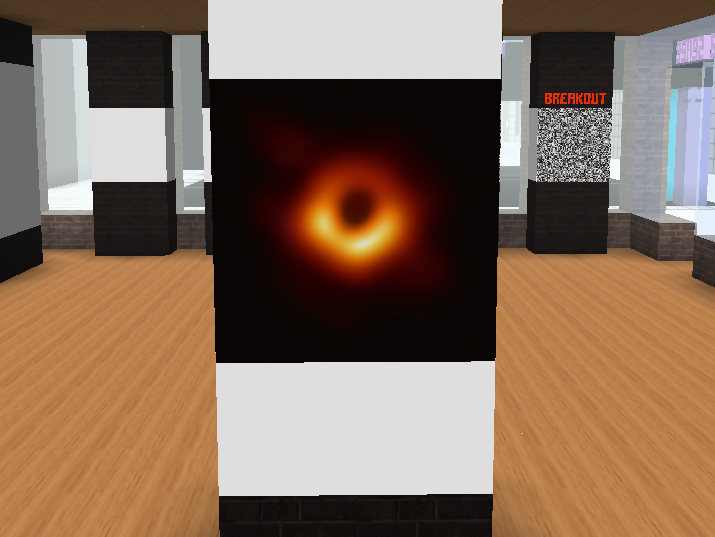
A flat image.
Image
A two dimensional image from a URL.
Editor
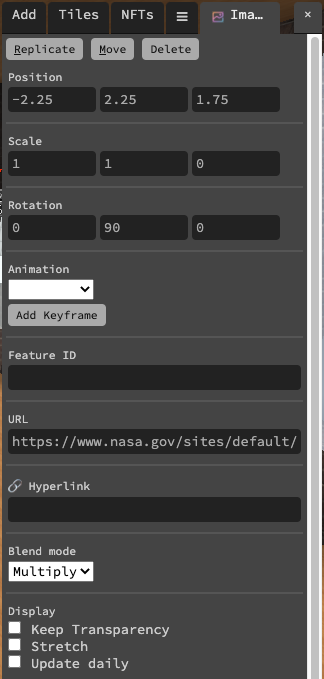
URL
The URL of the image. Link has to start with https://...
Hyperlink
(Optional); makes the image a clickable link.
Blend mode
This is used to determine how the image is blended with whatever is behind it. The available options are Combine, Multiply, and Screen.
Keep transparency
If ticked, any transparency in the image will be converted to black.
Stretch
If ticked, the image will be stretched to fit into the target rectangular area, rather than cropped.
Update daily
If ticked, the image will reload every day. This is useful, for example, if you have a rotating advertisement where the image will change.
uScale/vScale
Helps you tiles an image properly
Trigger
Set whether or not the feature is a trigger.
Scripting Properties
Scripting Properties {.tabset}
url
String; Links must be https:// and must finish with an extension such as .jpg/.gif/.png.
get()
feature.get('url')
// returns: "https://..."
set()
feature.set({'url':"https://www.myurl.com/file.png"})
default
""
link
String; Links must be https://.
get()
feature.get('link')
// returns: "https://..."
set()
feature.set({'link':"https://www.myurl.com/"})
default
""
blendMode
String
get()
feature.get('blendMode')
// returns: 'Combine'
set()
feature.set({'blendMode': 'Combine'})
default
"Multiply"
updateDaily
Boolean.
get()
feature.get('updateDaily')
// returns: false
set()
feature.set({'updateDaily': true})
default
false
transparent
Boolean.
get()
feature.get('transparent')
// returns: false
set()
feature.set({'transparent': true})
default
false
stretched
Boolean.
get()
feature.get('stretched')
// returns: false
set()
feature.set({'stretched': true})
default
false
uScale
Integer
get()
feature.get('uScale')
// returns: 1
set()
feature.set({'uScale': 1})
default
1
vScale
Integer
get()
feature.get('vScale')
// returns: 1
set()
feature.set({'vScale': 1})
default
1
type
String;
get()
feature.get('type')
/* or */
feature.type

// returns: 'image'