Group
Learn how to group features together
Group
Group features
You can group features [e.g. Images, VOXes, Videos, etc.] together while working in a parcel. This can help keep your parcel organized and save time when making adjustments to multiple features.
Adding features to a group
You can easily add features to a group.
- Get to a Cryptovoxels parcel you own or have collaboration rights to
- Get close to the features you want to group up
- Click the Parcel Features button on the right side
- Click the checkbox to the right of each feature you want to add
- On the bottom, click the Create Group button
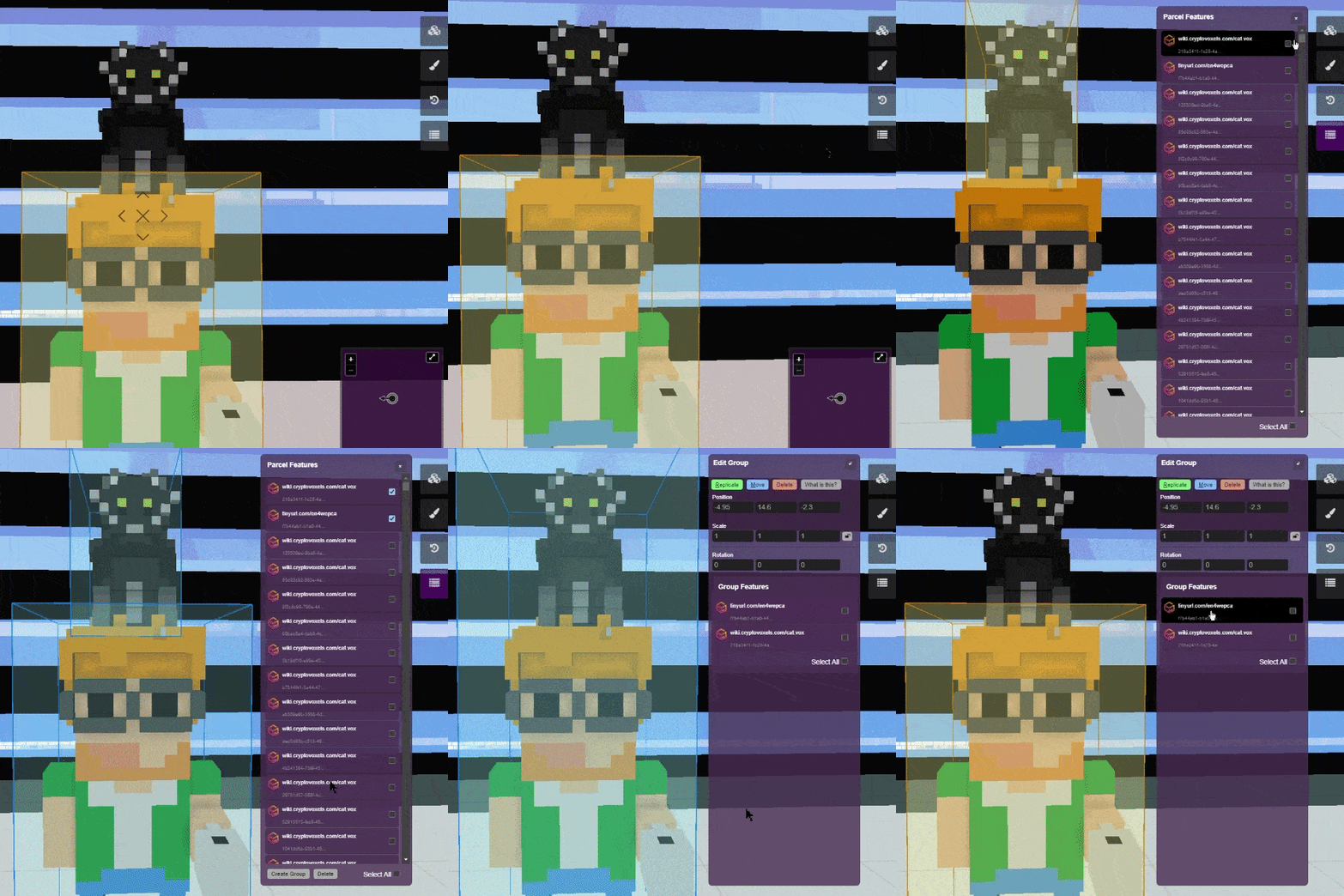
Finding and selecting a group
In order to make any changes to the group, you'll have to select it in the Parcel Features list.
- Get close to the group (the Parcel Features list sorts by proximity)
- Click the Parcel Features button on the right side
- Find and select the group (it should be near the top)
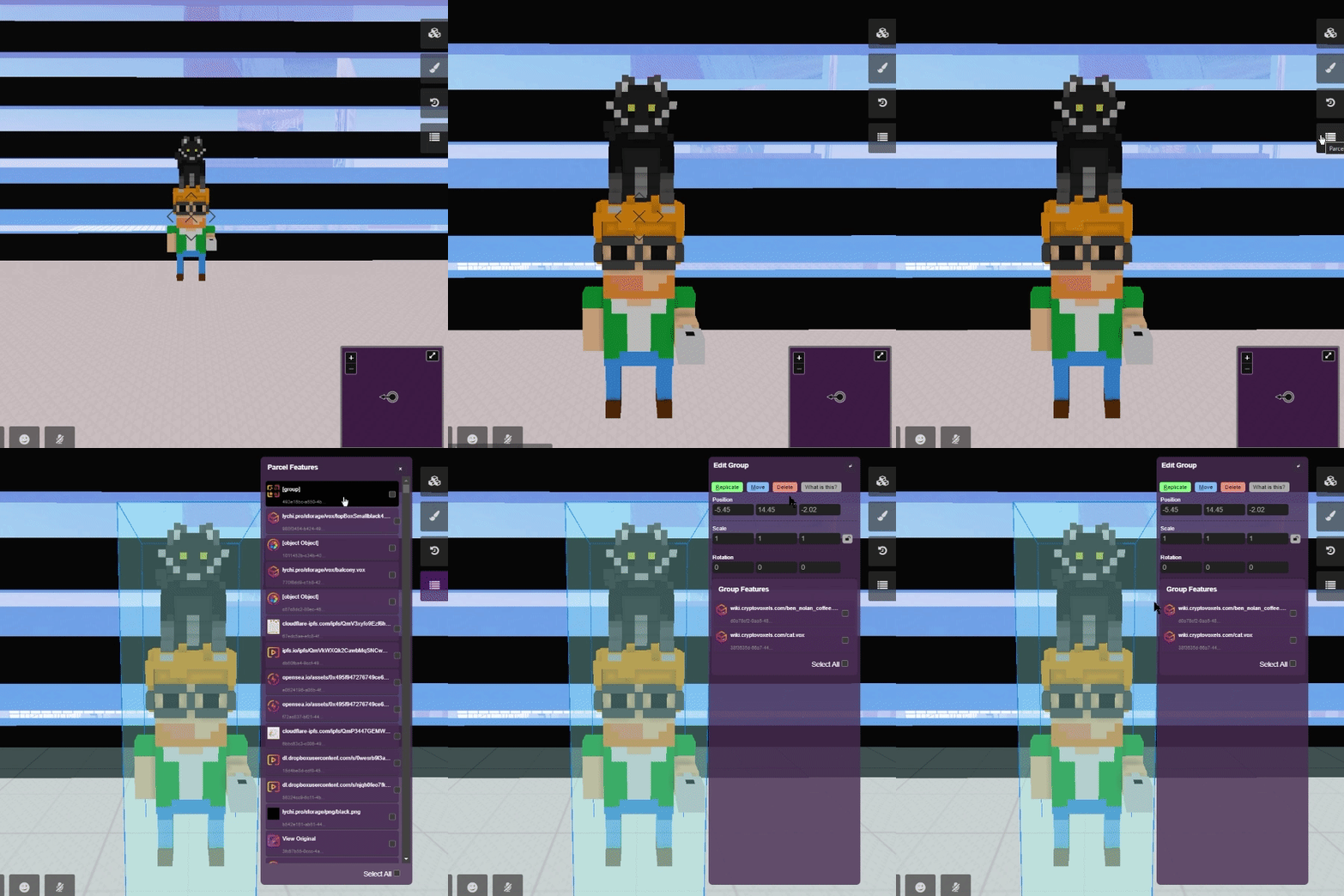
Adjustments to a group
You can modify the group, which will affect every feature inside it.
- Find and select the group you want to adjust
- Modify the position, scale or rotation, OR replicate, move or delete it
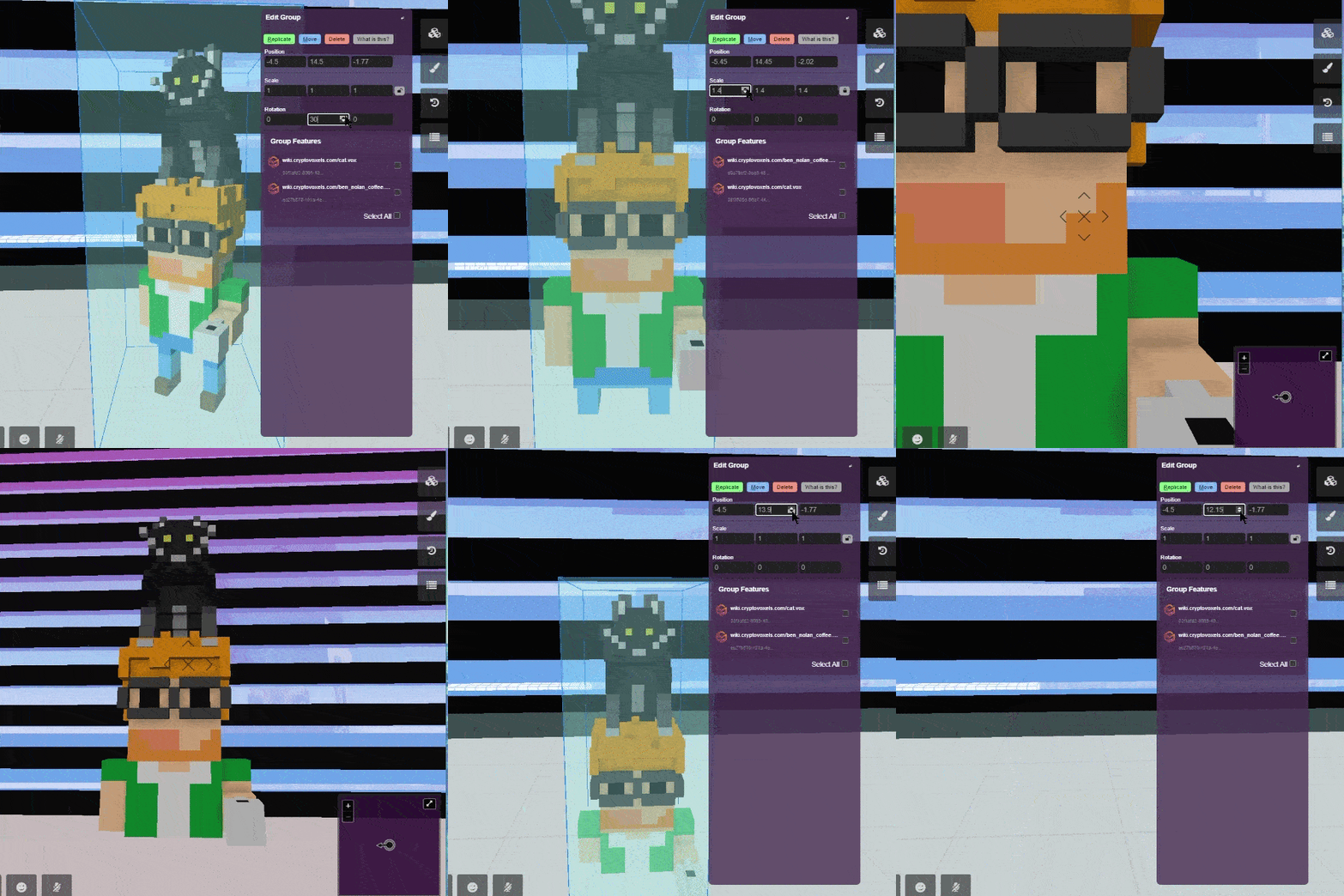
If you make adjustments to a group and then dissolve said group, the features inside will revert back to their actual position, scale & rotation.
Removing features from a group
You can remove individual features from a group.
- Find and select the group you want to adjust
- Under the Group Features section, click the checkbox of the feature you want to remove
- Click the Remove from Group button on the bottom
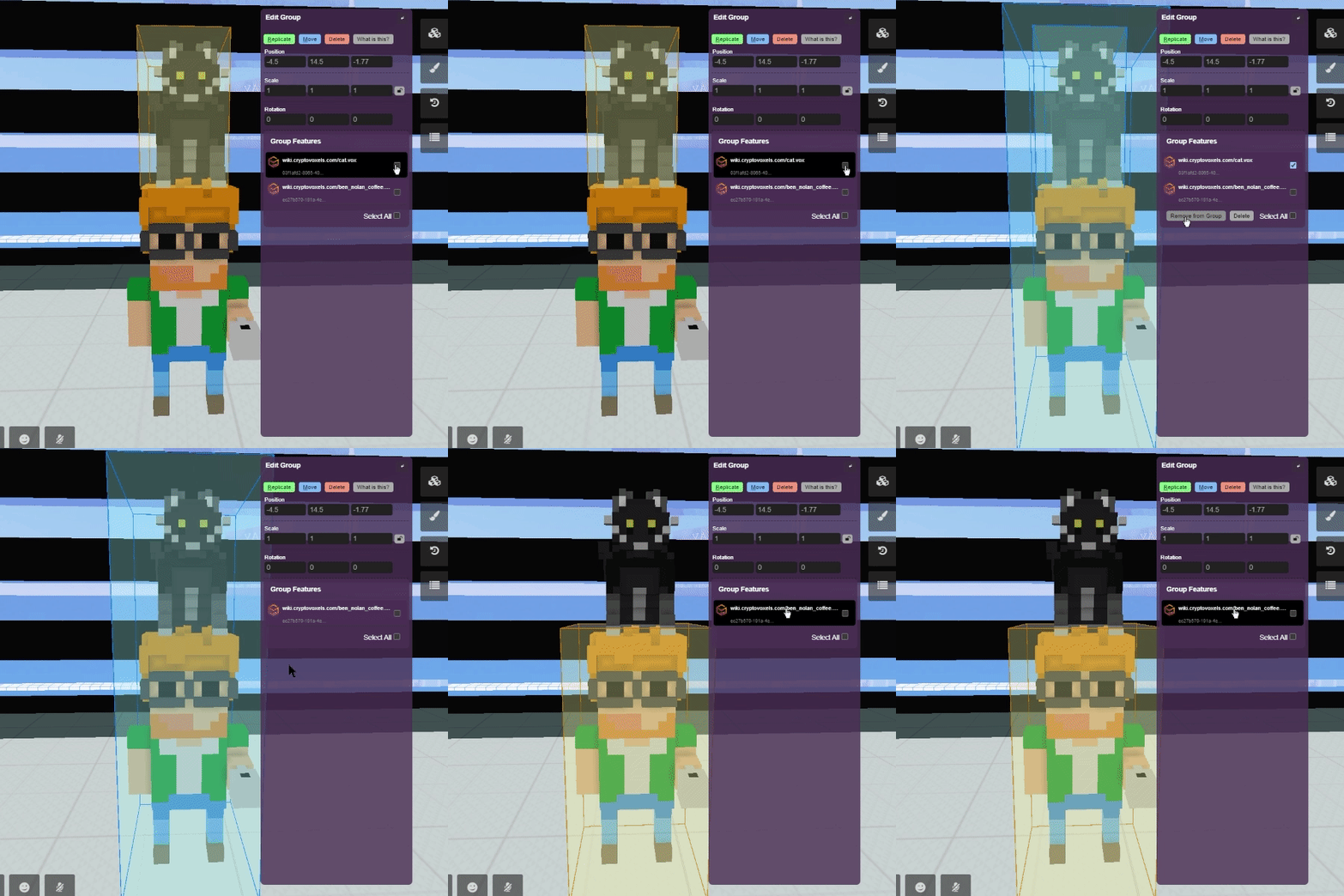
Dissolving a group
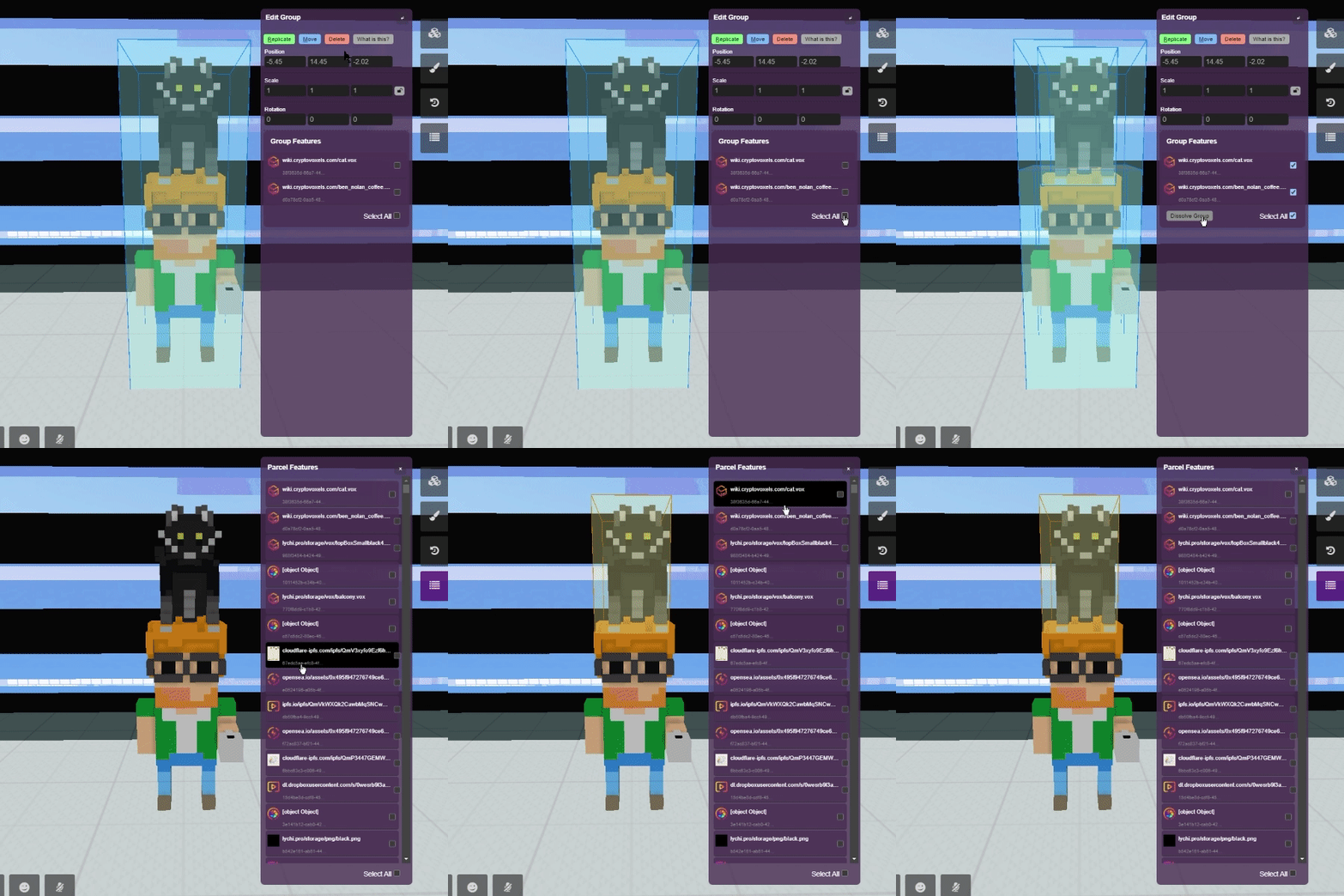
Dissolving a group removes just the group and leaves the features intact.
- Find and select the group you want to adjust
- Under the Group Features section, click the Select All checkbox
- Click the Dissolve Group button
Deleting a group
Deleting a group will remove the group and ALL features that were in the group.
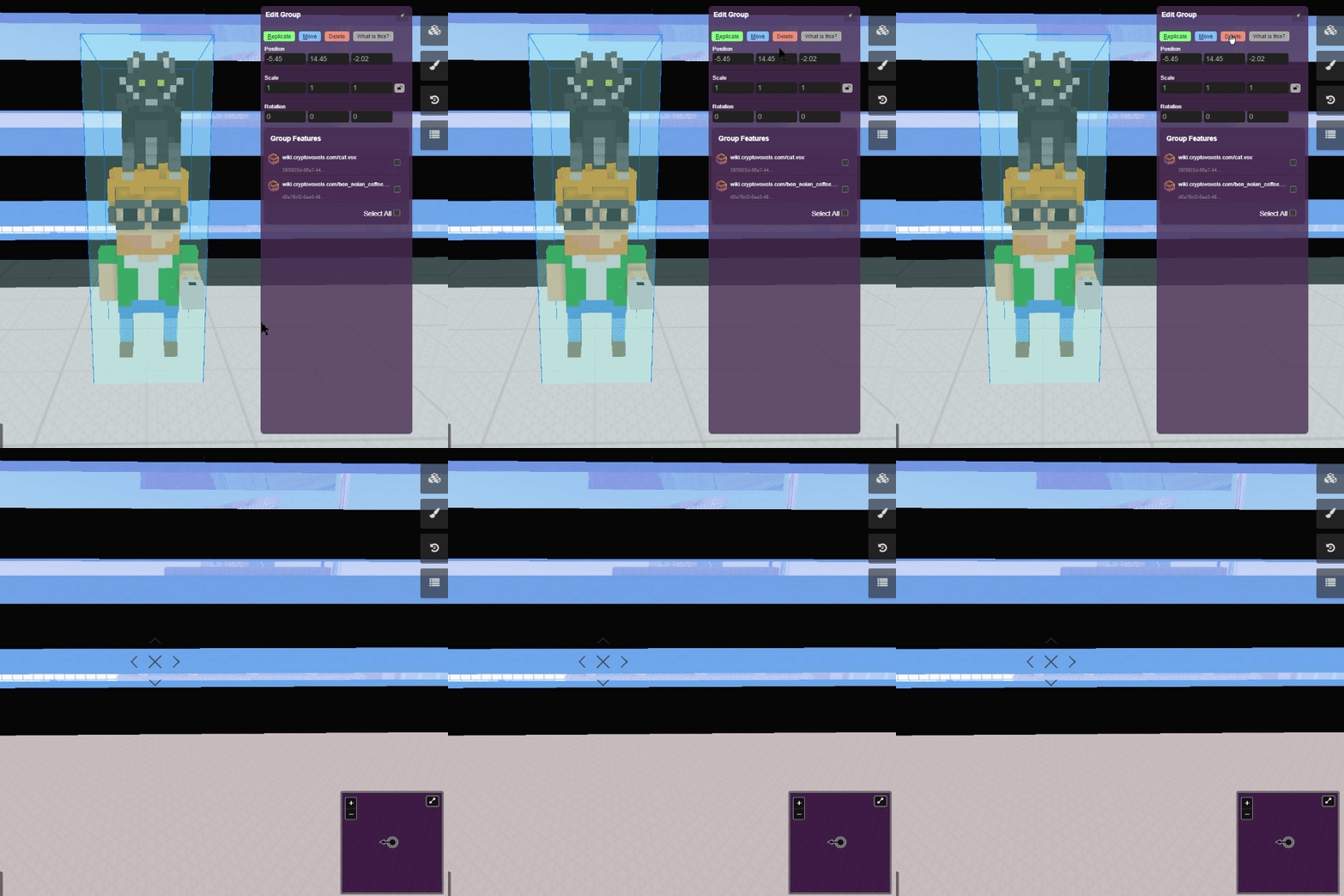
If you wish to remove just the group and leave the features alone, read the prior section.