Simple door
A simple door which opens and closes on click.
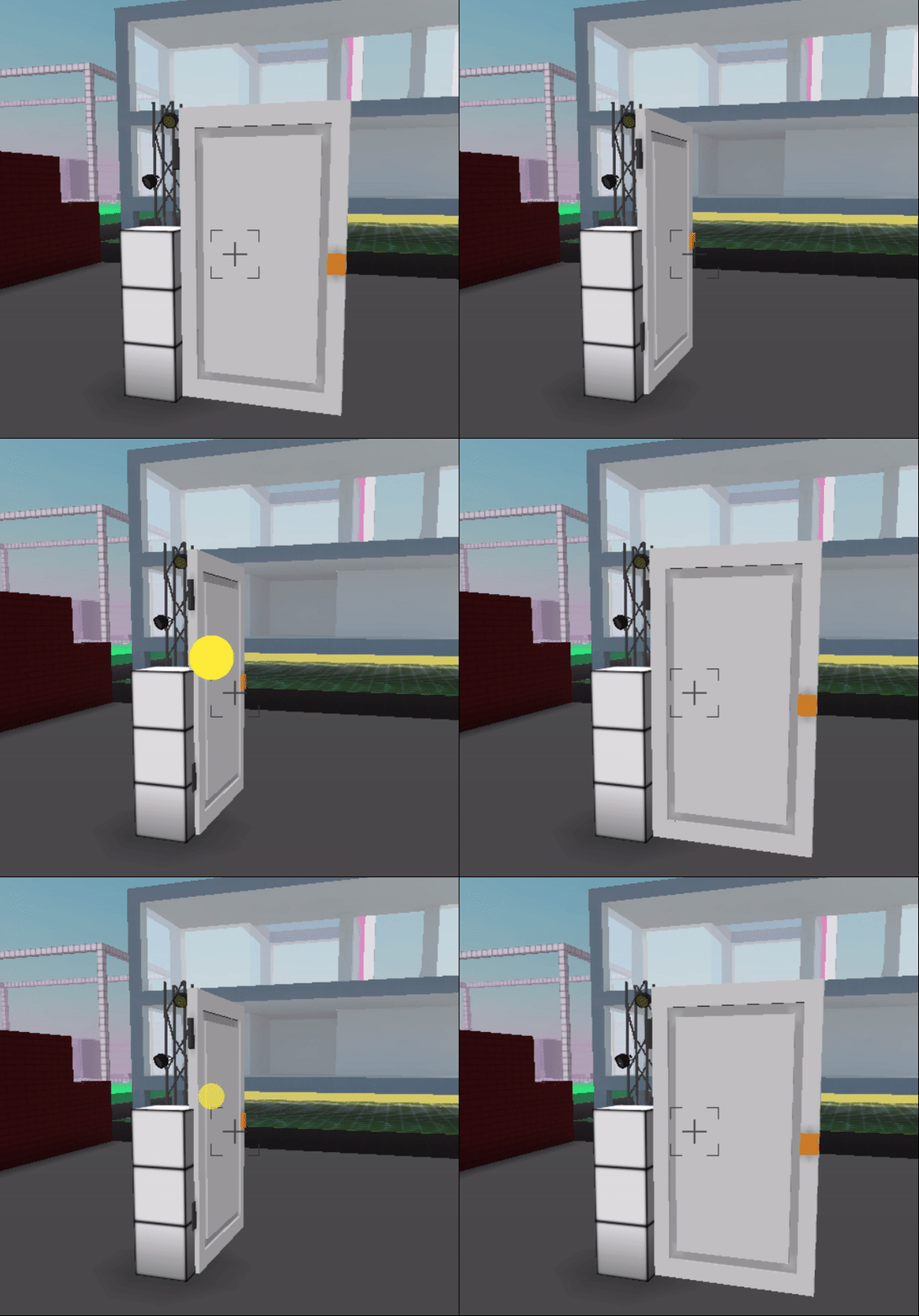
1. Get your door vox model.
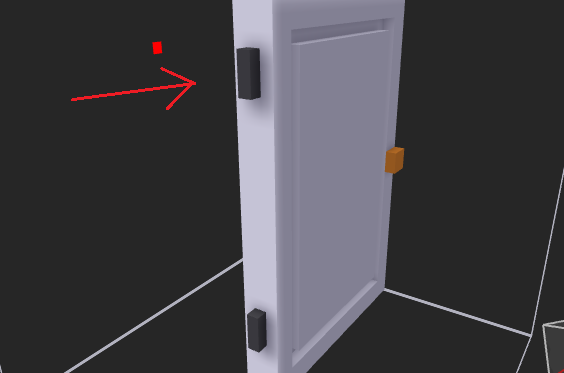
First things first, when making a vox model make sure you make it so that the center of rotation is at the right place.
To make your life easier, feel free to use and modify the door I use in the gif above.
When editing the model, you have to make sure to keep the rotational axis on x:20 and y:15. In the door model I share, it is marked by the black voxels.
2. Place and add the script
Place your .vox feature in-world, (See here, to learn how to place in-world or host your model) and add the following script:
let closed = true

feature.on('click',e=>{

  if(closed){
        feature.rotation.y=0
  }else{
      feature.rotation.y=1.57

  }
closed=!closed
})
3. Customize
If the script in 2. opens your door instead of closing it, just switch the
closedtofalsein line 1.If you want to partially open your door, and not fully open it, change the
openangle. So if your door is open when the radian angle is 0, change it to 0.5 or -0.5, depending on whether it's a pull/push door. It might require a bit of trial and error.
Have fun!