Spaces
isolated parcels
What is a space?
Spaces are free plots of land off-grid. They are building volumes similar to parcels and are an excellent way to test the building tools of Cryptovoxels. You can also convert a space into a parcel and vice versa, making experimenting easy.
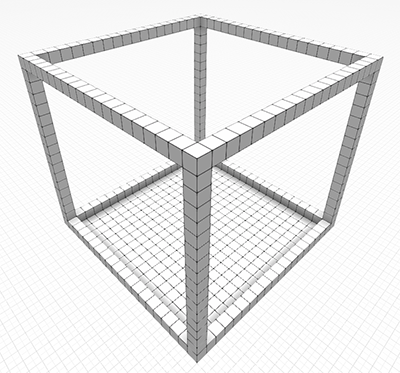
What can I do in a space?
Everything you can do in a parcel, including scripting. Multiplayer is limited to 5 people.
Lightmap baking is not allowed in spaces yet.
Are spaces free?
Yes, spaces are 100% free and you can have up to 420 spaces per wallet.
How do I make a space?
On the Cryptovoxels website, click Spaces on the top.

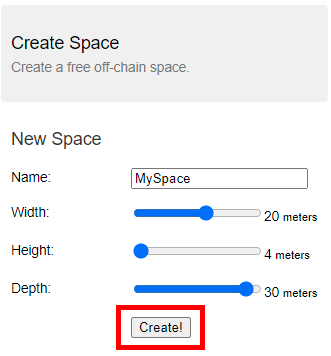
Enter the name and adjust the width/height/depth to your liking, then click Create!.
You will now be on your space's page. Click Visit to go to your space.
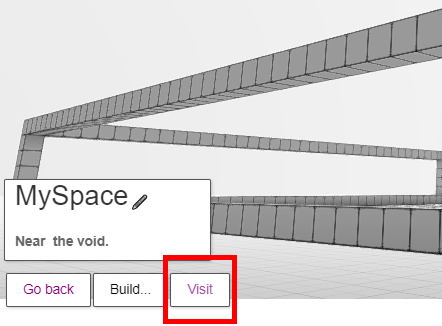
Congrats, you're in your new space! Click here to learn how to build.
How can I see my spaces?
On the Cryptovoxels website, click Spaces on the top. On the left side, a list of your spaces will appear. From here you can click Teleport to and be sent to the space.
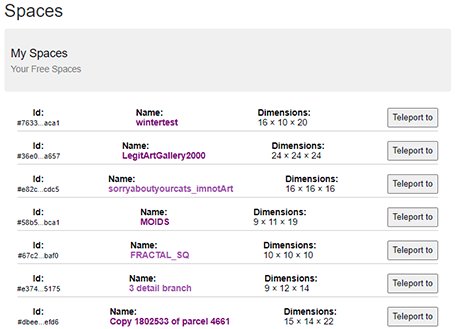
You can get more settings by clicking the space's row. From here you can view the space's page, download the JSON or erase the space.
 You can also just click the name of the space to bring you to its page.
Space's page
From the space's page, you can change the name, share the space and adjust settings. To view your space's page, go here, then click the name of the space you want to go to.

Editing space's info
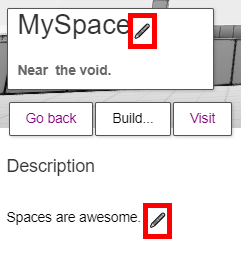
On the space's page, click the pen icon to edit the name & description of the space.
Sharing your space
You can share your space to anyone, and they don't even need to be signed in to enter! For example, here is our space!
All you have to do is share the unique URL of your Space. It should look something like:
https://www.cryptovoxels.com/spaces/c9cc778b-8326-45c6-932d-aae4a8f06c84
Multiplayer is limited to 5 people in a space. Spaces are also not searchable or browseable. You must know the URL to a space to access it.
Changing your share link (slug)
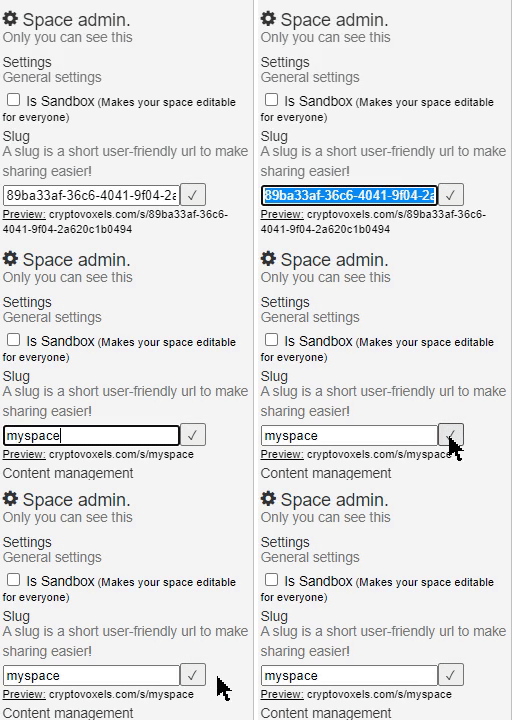
On your space's page there is a Space admin section on the right side - from there you can edit the slug for that space and save it. This will generate a shareable link that will make it easy for you to share your space. See the preview underneath for the URL.
Allowing others to edit
Just like a parcel, you can convert your space to a sandbox and make it editable by anyone with the link. The person editing will need to be signed into Cryptovoxels to make changes. Click here to see/edit our sandbox space.
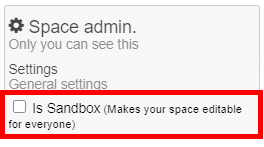
On your space's page under Space admin, click the checkbox for Is Sandbox to enable sandbox mode.
Sandbox is great for collaboration creation, but if you've finalized the space and are linking it out to the public, you may want to turn sandbox mode off so that your creation does not get negatively altered.
Using build templates
You can use a build template to start off with. On your space's page, click Build..., then select a build material & one of the templates.

Backup your space
Spaces do not automatically take snapshots like parcels do, so you will have to manually backup your space. Luckily backing up is straightforward, as it just involves saving a JSON file, and there are two ways to do this.
Method 1
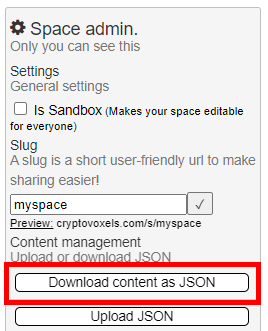
You can backup the space on the space's page. In the Space admin section on the right side, click Download content as JSON. Keep your JSON file in a safe place.
Method 2
You can also backup from your list of spaces page. Click the space you want to save, then click Download Json.

Restore your space
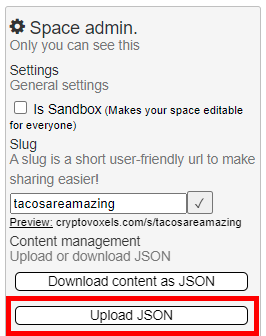
On the space's page you can upload the backed-up JSON file. In the Space admin section on the right side, click Upload JSON and select the file.
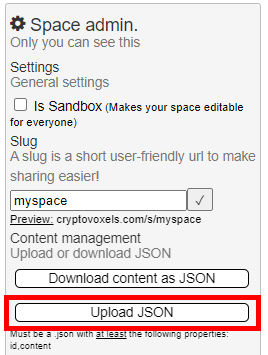
You can also create a new space here and upload the JSON file afterwards, just make sure the dimensions are the same.
Converting space to parcel
You can conveniently convert a space to a parcel as long as the height, width & depth are the same.
This is great for experimenting, or if you want to keep your parcel intact while you work on the next parcel iteration secretly, or if you don't have a parcel yet but are planning to get one in the future.
Features outside parcel feature bounds will be removed. Imported parcel/space should be of the same size as the in-world parcel. Features have to have valid types and valid data.
Method 1
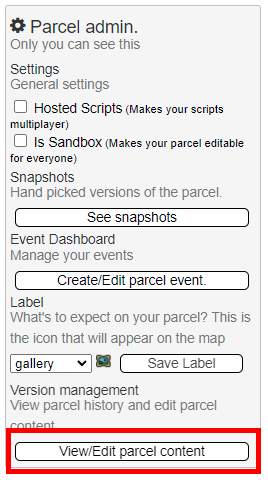
On your parcel's page (e.g. cryptovoxels.com/parcels/4661), under Parcel admin, click View/Edit parcel content.
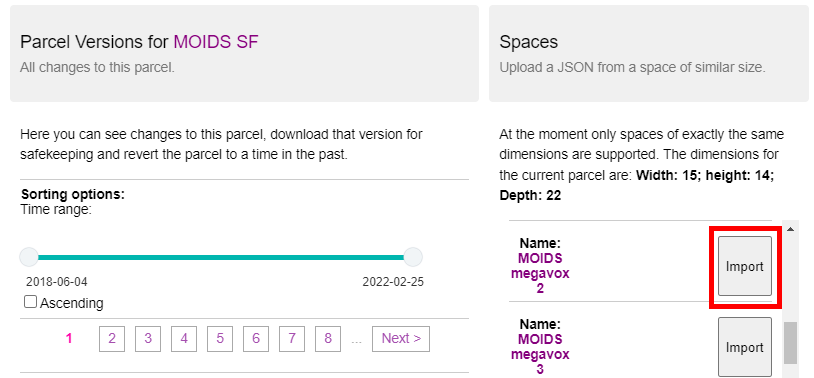
On the Parcel version management page, click Import on the space you want to use.
Click OK and enjoy your different parcel!

Method 2
On your space's page (e.g. cryptovoxels.com/spaces/89ba33af), under Space admin, click Download content as JSON. (You can also save the JSON of the space from the spaces list page here.)
After getting the space's JSON, go to your parcel's page, and under Parcel admin, click View/Edit parcel content.
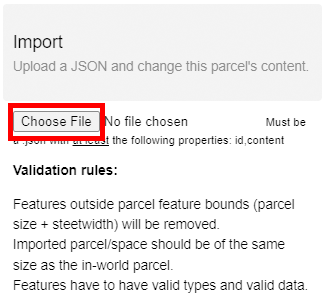
Click Choose File under Import and select the JSON of the space, and that's it!
Converting parcel to space
You can seamlessly convert a parcel to a space.
Method 1
On your parcel's page (e.g. cryptovoxels.com/parcels/1), under Parcel admin, click View/Edit parcel content.
Under Parcel Versions, click Create space on the version you want to convert (sorted by newest on top).
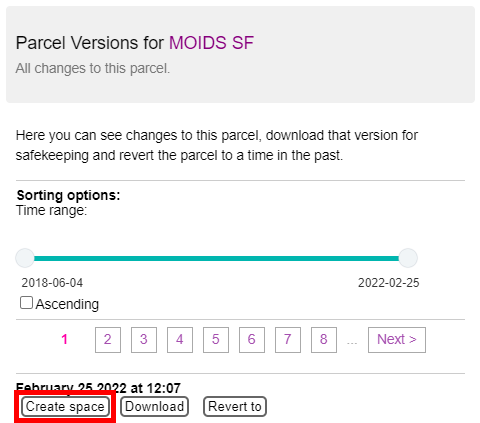
You should now see your space's page, titled something like Copy of X of parcel X.
Method 2
On your parcel's page, under Parcel admin, click View/Edit parcel content.
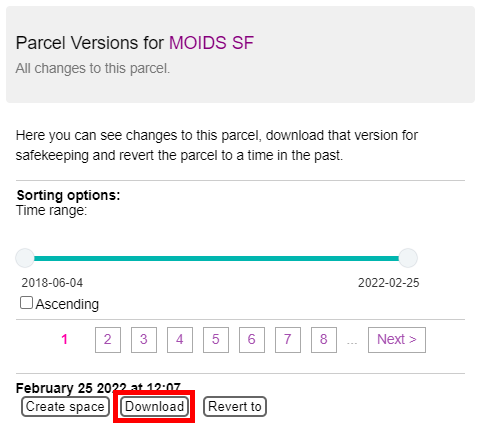
Under Parcel Versions, click Download on the version you want to convert and save the JSON.
Go on your space's page and click Upload JSON under Space admin and select the JSON file.
Enjoy your space!
Examples of spaces
Below are some great examples of what you can do with a space.
uttermelon's fan art for Mr misang
sorryaboutyourcats' fractals for imnotArt
If you're starting out with Cryptovoxels for the first time and want to make a space, this guide can help.
Have fun creating!